
How FirstTouch Sales works
From the first hello to a signed order, in five steps.
1. Set up your workspace
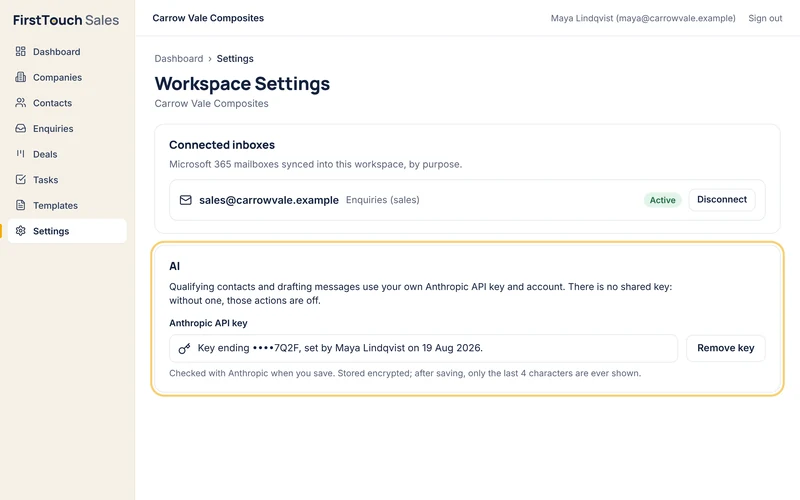
Book a demo, and we set up your workspace and your team's accounts. Send us your contact list as a spreadsheet and we'll bring it in for you. An admin connects your Microsoft 365 mailbox by signing in with Microsoft, and adds your Anthropic API key for the AI.
2. Capture every contact
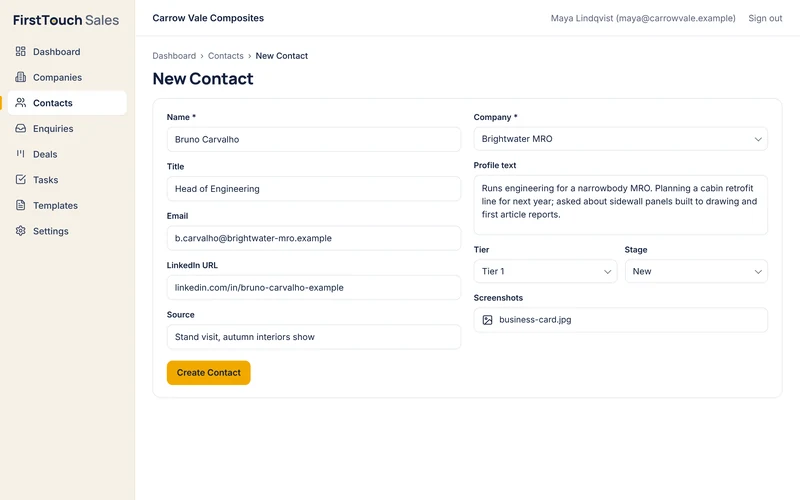
Add the people you meet, wherever you meet them: their title, company, email, LinkedIn link and where you met. Paste what you know into their profile, add images, and rank them Tier 1, 2 or 3 with your reason. If someone is already in FirstTouch, it warns you before you add them twice.
3. Answer enquiries in one thread
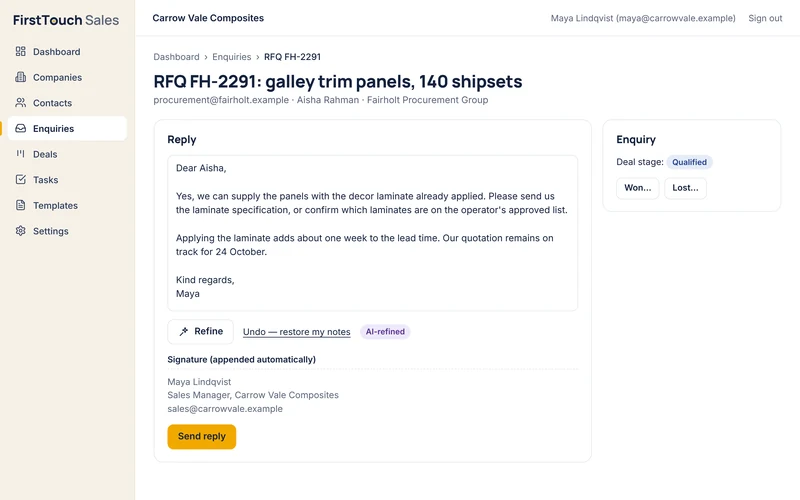
Enquiries to your connected mailbox arrive as threads, cleaned to readable text. Turn a real one into a lead and a deal opens. Type rough notes, let Refine turn them into a reply, check it, and click Send reply. It goes from your own mailbox, in the customer's thread, with your signature.
4. Follow up on time
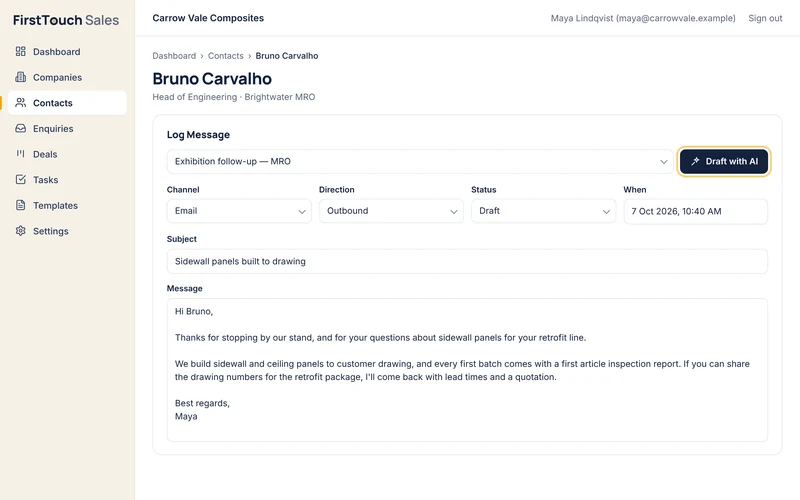
Each day brings follow-up tasks for the contacts who are due. Draft with AI from your templates: FirstTouch drafts your first message. You send it from your own mailbox, or on LinkedIn, and it's logged against the contact.
5. Close the deal
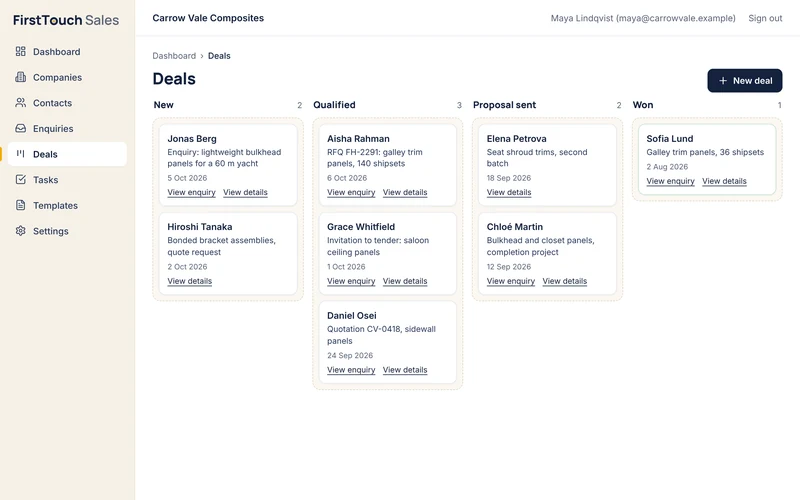
Every deal moves across one board: New, Qualified, Proposal sent, Proposal accepted, In fulfilment, then Won or Lost. Notes and every change of stage are kept on the deal. When it's won, record the amount paid, and it adds to the contact's lifetime value.
See it with your own enquiries in mind.
Book a demo. We'll walk you through FirstTouch Sales and answer your questions.
Book a demo